That QR code on a parking meter, in an email, or on a restaurant table might not lead where you think. Quishing (QR Code Phishing) has become one of the fastest-growing attack vectors in 2025-2026. This article explains how these attacks work at a technical level, examines real-world incidents, and provides a systematic defense framework.
Why QR Codes Are Exploitable
Unlike clickable hyperlinks, QR codes encode URLs in a matrix of black and white modules that humans cannot read visually. Attackers exploit this opacity:
- Invisible destination: Users cannot verify the URL before scanning
- Implied trust: QR codes on official posters/emails inherit that trust
- Bypass email filters: Traditional gateways do not scan URLs embedded in images
- URL shortener obfuscation: Attackers hide malicious domains behind short links
Common Quishing Attack Types
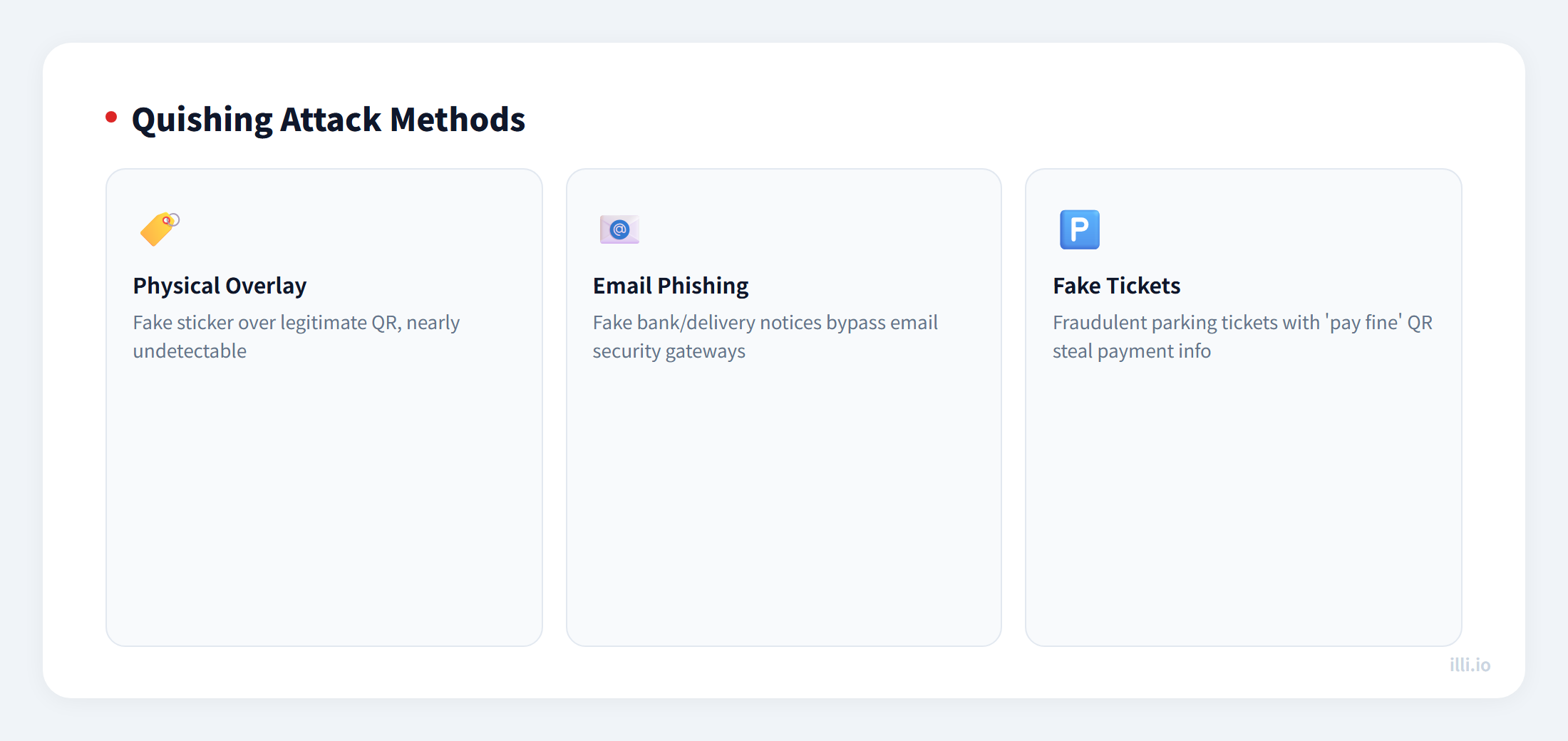
| Attack Type | Typical Scenario | Impact | Detection Difficulty |
|---|
| Physical overlay | Sticker placed over legitimate QR code | Redirects to phishing site | ★★★★★ |
| Email embed | Fake bank/delivery notification email | Credential theft | ★★★★ |
| Fake parking ticket | Fraudulent ticket with "pay fine" QR | Payment info theft | ★★★★★ |
| Wi-Fi hijack | Fake Wi-Fi connection code in public | Man-in-the-middle attack | ★★★ |
| Malicious app | QR leads to trojanized APK download | Device compromise | ★★★ |
Real-World Case Studies
Case 1: US Parking Meter Scam (2022): Criminals placed fake QR stickers on parking meters across multiple Texas cities. Users scanning the codes were directed to a convincing payment portal that stole credit card info. The FBI issued a nationwide warning.
Case 2: Microsoft 365 Phishing (2023): Attackers sent PDFs containing QR codes disguised as MFA authentication requests. Since the URL was embedded in an image, traditional email security gateways could not detect it. Over 20,000 users clicked through.
Case 3: Bike-Share Refund Scam: Fake customer service messages with "refund deposit" QR codes directed users to phishing pages requesting bank card details.
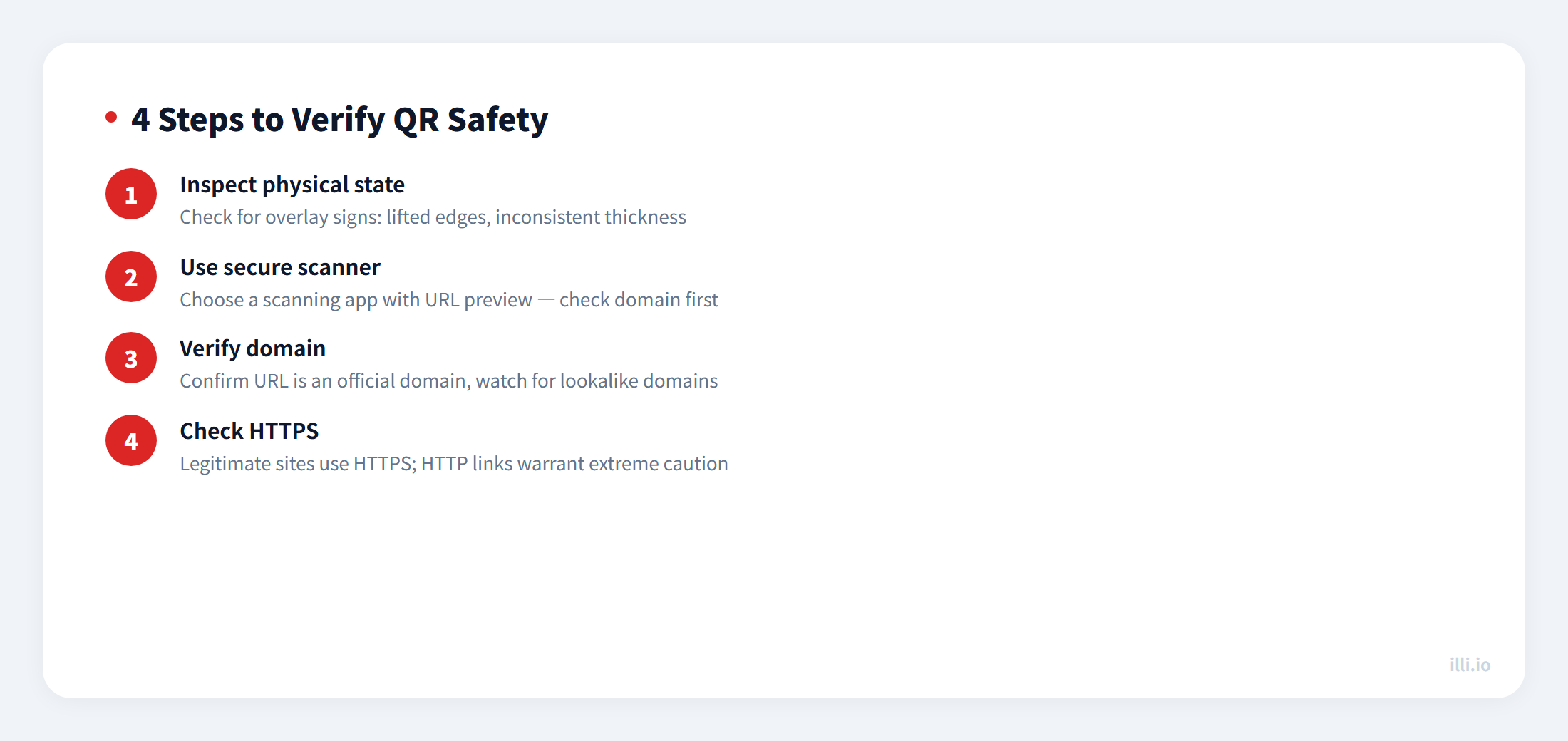
How to Verify QR Safety Before Scanning
Enterprise Defense Checklist
| Defense Layer | Measure | Effect |
|---|
| Email gateway | Enable in-image URL scanning (e.g., Microsoft Defender Safe Links) | Block malicious QR in emails |
| Staff training | Regular simulated quishing drills | Improve recognition |
| Physical security | Use tamper-evident labels or watermarked backgrounds | Prevent overlay attacks |
| Link management | Use owned-domain short links (e.g., illi.io) | Auditable and traceable |
| End-user | Recommend QR scanners with built-in URL preview | Review before navigating |
Best Practices for Generating Secure QR Codes
- Use HTTPS links, never HTTP
- Use owned-domain short links to prevent third-party abuse
- Print the target URL next to the QR code so users can verify
- Choose H-level error correction to resist partial overlay tampering
- Regularly scan-test deployed QR codes for tampering
QR codes generated with illi.io short links support scan analytics and real-time link management — disable any compromised link instantly.