In 2026, QR codes and barcodes are woven into the fabric of modern business — from mobile payments and logistics tracking to product management and event check-ins. For developers, generating and parsing these codes is straightforward, but without understanding the underlying technical standards, you will inevitably run into issues: incorrect print sizes, incompatibility with specific scanners, or QR codes that cannot survive minor damage.
This guide systematically covers the core standards behind 1D and 2D codes, helps you understand which encoding format to choose for which scenario, how to set error correction levels, and how to use illi.io's HD code generator to produce vector assets that meet industrial scanning requirements.
1. 1D Barcode Standards: When to Use Code 128 vs EAN-13
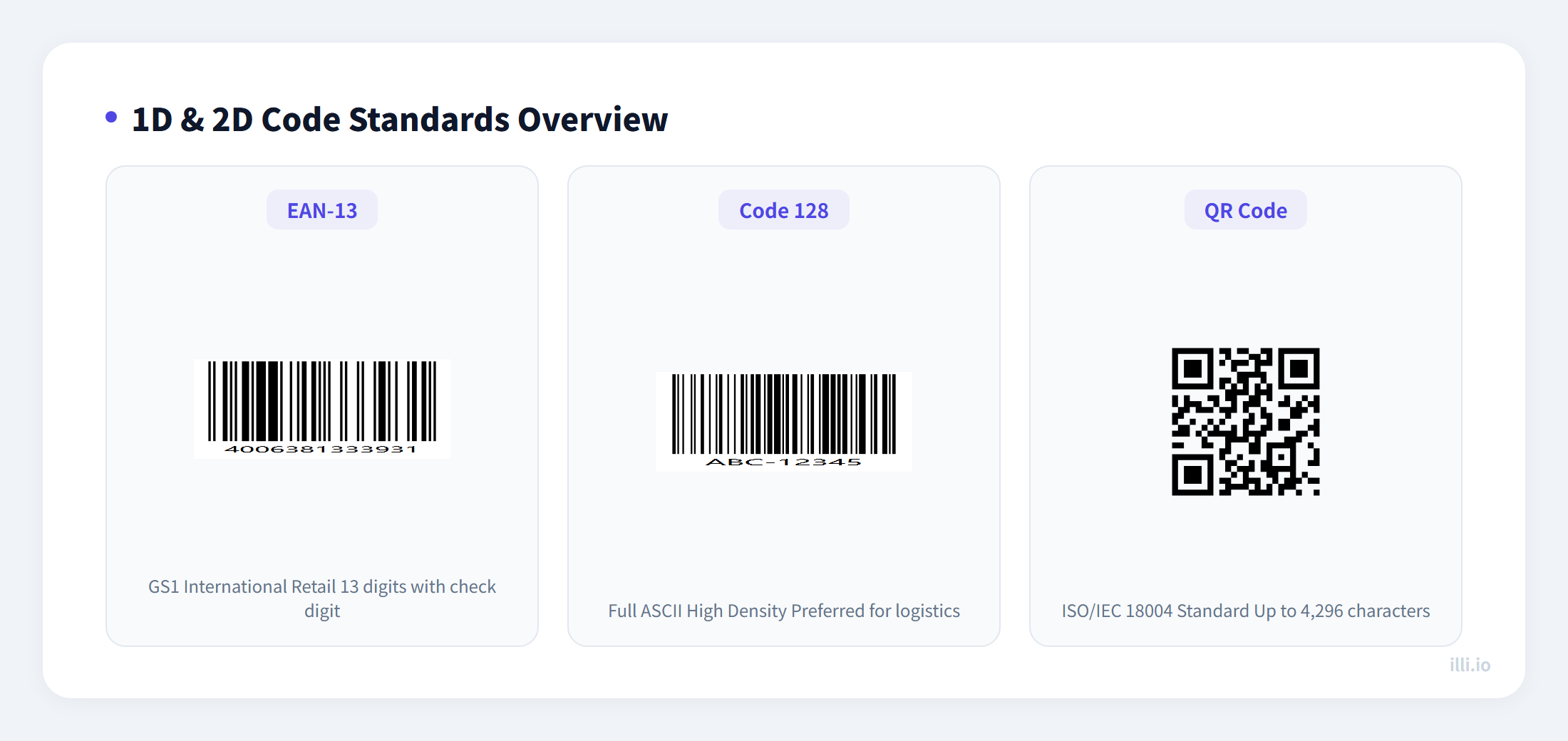
While QR codes dominate consumer-facing scenarios, 1D barcodes remain irreplaceable in retail, warehousing, and logistics. Understanding which standard fits which use case is the first step to avoiding scanning failures.
EAN-13: The Universal Language of Global Retail
EAN-13 is the standard product barcode defined by GS1 (Global Standards 1), strictly following a 13-digit numeric format. Retail systems in over 150 countries rely on it as foundational infrastructure for product identification.
- Structure: First 3 digits are a country/region code (e.g., 690-699 for China), followed by manufacturer code, product code, and a check digit
- Typical scenarios: Supermarket products, books (ISBN converts to EAN-13), pharmaceutical packaging
- Limitation: EAN-13 encodes digits only — no letters or special characters
Code 128: The Go-To for Warehousing and Logistics
Code 128 supports the full ASCII character set (letters, digits, and special symbols) with extremely high information density, making it the preferred format for warehouse management, shipping labels, and asset tracking.
- Three subsets: Code 128A (uppercase + control characters), 128B (uppercase + lowercase), 128C (numeric pairs, highest density)
- Advantage: Encodes more information in the same linear space, supports variable-length data
- Typical scenarios: Shipping labels, factory production line tracking, medical specimen labels
Pro tip: When designing labels, always include adequate quiet zones — at least 10x the narrowest bar width of blank space on each side of the barcode. Without this margin, scanners may fail to detect the start character. The illi.io barcode generator automatically includes standard quiet zones by default.
2. QR Code Error Correction Levels: Higher Is Not Always Better
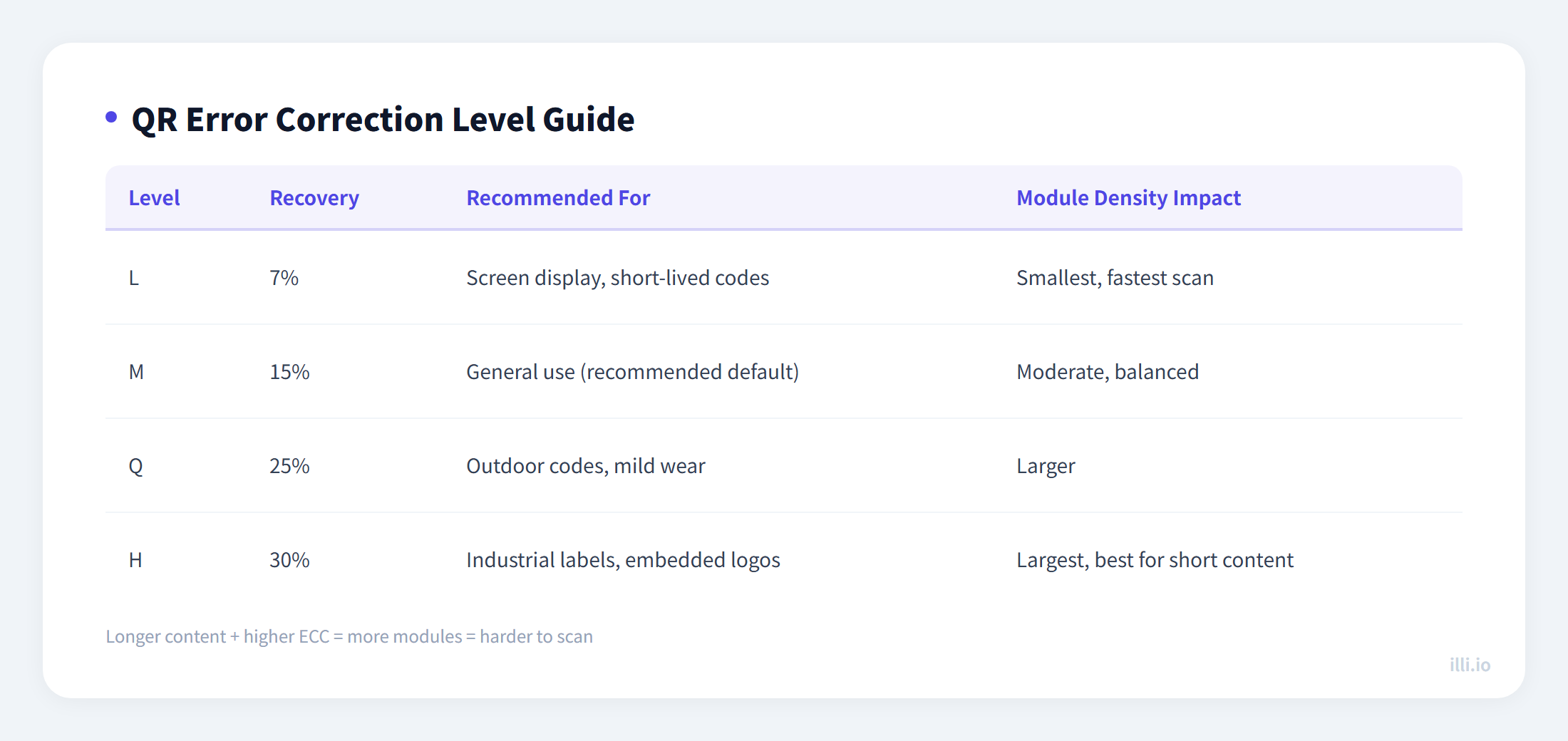
Many developers overlook the error correction level parameter when calling QR generation libraries. The QR Code standard defines four levels that directly determine how much damage a QR code can sustain while remaining scannable.
| Level | Recovery Rate | Best For | Module Density |
|---|
| L (Low) | ~7% | Screen display, short-lived codes | Lowest |
| M (Medium) | ~15% | General recommendation, balanced reliability | Medium |
| Q (Quartile) | ~25% | Outdoor use, codes subject to mild wear | Higher |
| H (High) | ~30% | Industrial labels, codes with embedded logos | Highest |
Why not default to H? While H offers maximum fault tolerance, it significantly increases module density. For longer content (like full URLs), H-level codes may produce modules too small for phone cameras to resolve in poor lighting. For typical marketing use cases, M level (15%) strikes the optimal balance between scan speed and reliability.
If you need to embed a logo in the center, choose Q or H level and ensure the logo covers no more than 25% of the total QR code area. You can select the error correction level directly in the illi.io QR generator.
3. Security Considerations: Watch Out for QRLJacking
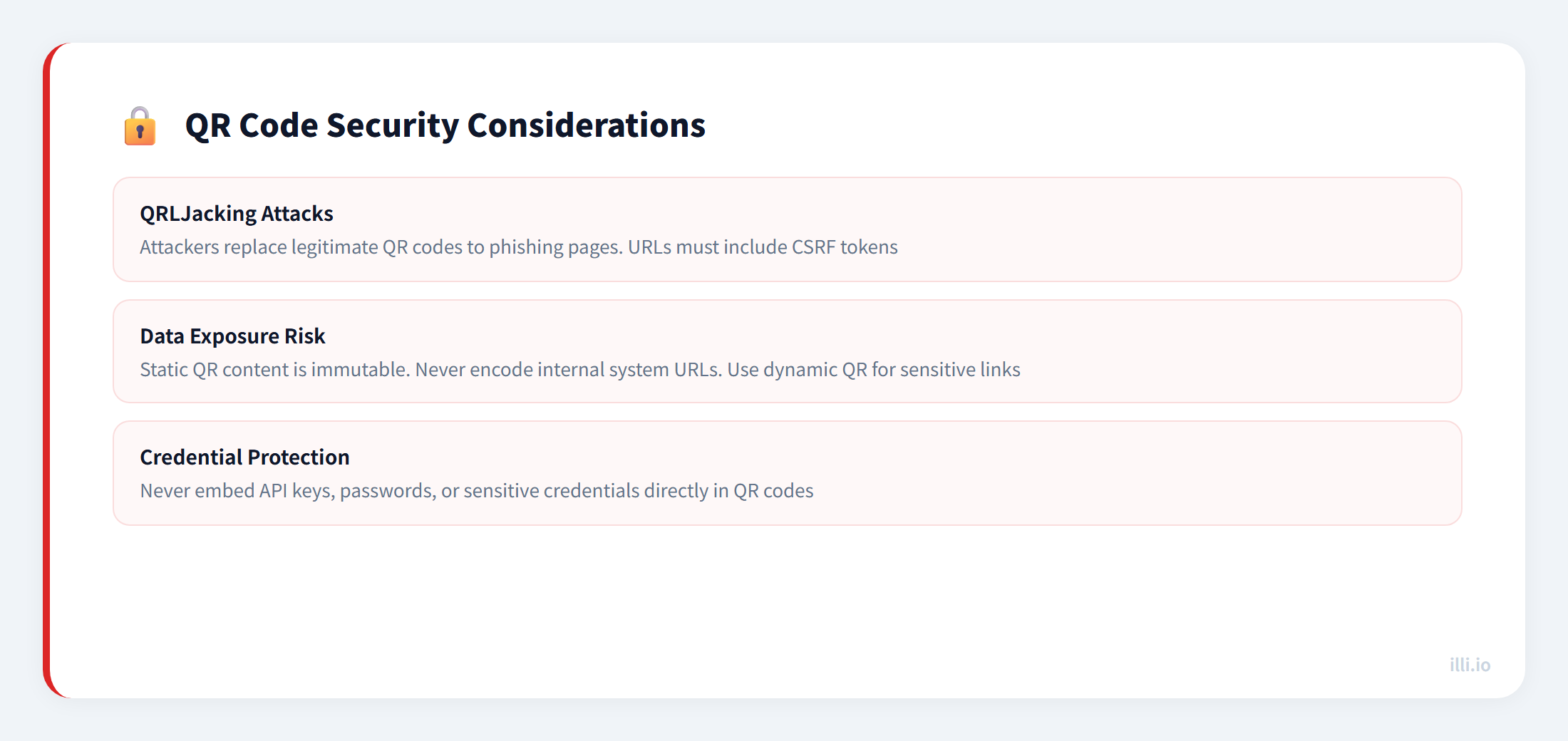
QR codes introduce convenience but also new attack surfaces. Here are the security risks developers and operators should be aware of:
QRLJacking (QR Code Login Hijacking)
Attackers replace legitimate QR codes (Wi-Fi login codes, payment codes) with malicious ones that redirect users to phishing pages. This attack is particularly common in public spaces like coffee shops and transit stations.
- Defense: Ensure encoded URLs include adequate CSRF verification tokens
- Avoid: Embedding sensitive credentials (like API keys) directly in QR codes
- Recommended: Use URL schemes with prefix signing so that even if a QR code is intercepted, attackers cannot modify the destination
Data Exposure Risk
Static QR codes cannot be modified after generation. If you encode internal system URLs (like admin panel addresses) in a QR code, anyone who obtains it can access that resource. For sensitive links, use dynamic QR codes — they let you change the destination URL at any time, or disable the code immediately if a security issue is discovered.
When building landing pages, both image loading speed and clarity matter. Compared to PNG raster images, SVG vector format offers significant advantages:
- Tiny file size: Typically under 2KB, with no impact on page load speed
- Infinite scaling: Edges stay crisp and sharp at any size
- SEO-friendly: Lightweight resources help improve Core Web Vitals scores
- Print-ready: No pixelation whether output to business cards or large-format posters
Generation in Practice
With the illi.io QR code generator, you can select SVG output format directly, while customizing colors, error correction level, and embedded logos. The resulting vector file works seamlessly across web pages, print materials, and app interfaces.
The same applies to barcodes. The illi.io barcode generator supports vector output for Code 128, EAN-13, UPC-A, and other major formats.
5. Choosing Between 1D and 2D: A Quick Comparison
| Dimension | 1D Barcode | QR Code (2D) |
|---|
| Data capacity | Up to ~80 characters | Up to ~4,296 characters |
| Data types | Numbers only or limited charset | URLs, text, contacts, Wi-Fi, etc. |
| Scan direction | Horizontal only | Any angle |
| Error correction | None built-in | 7% to 30% recovery |
| Scanning device | Dedicated scanners | Any smartphone |
| Typical use | Retail, warehousing, logistics | Marketing, payments, information |
Rule of thumb: If the content is a numeric ID and the target device is a dedicated scanner, use a barcode. If you need to encode a URL or target smartphone users, use a QR code. If you need to change the destination after printing, use a dynamic QR code.
Explore more professional code generation and decoding tools from illi.io to streamline your business workflows.