The Cardinal Rule: Optical Contrast
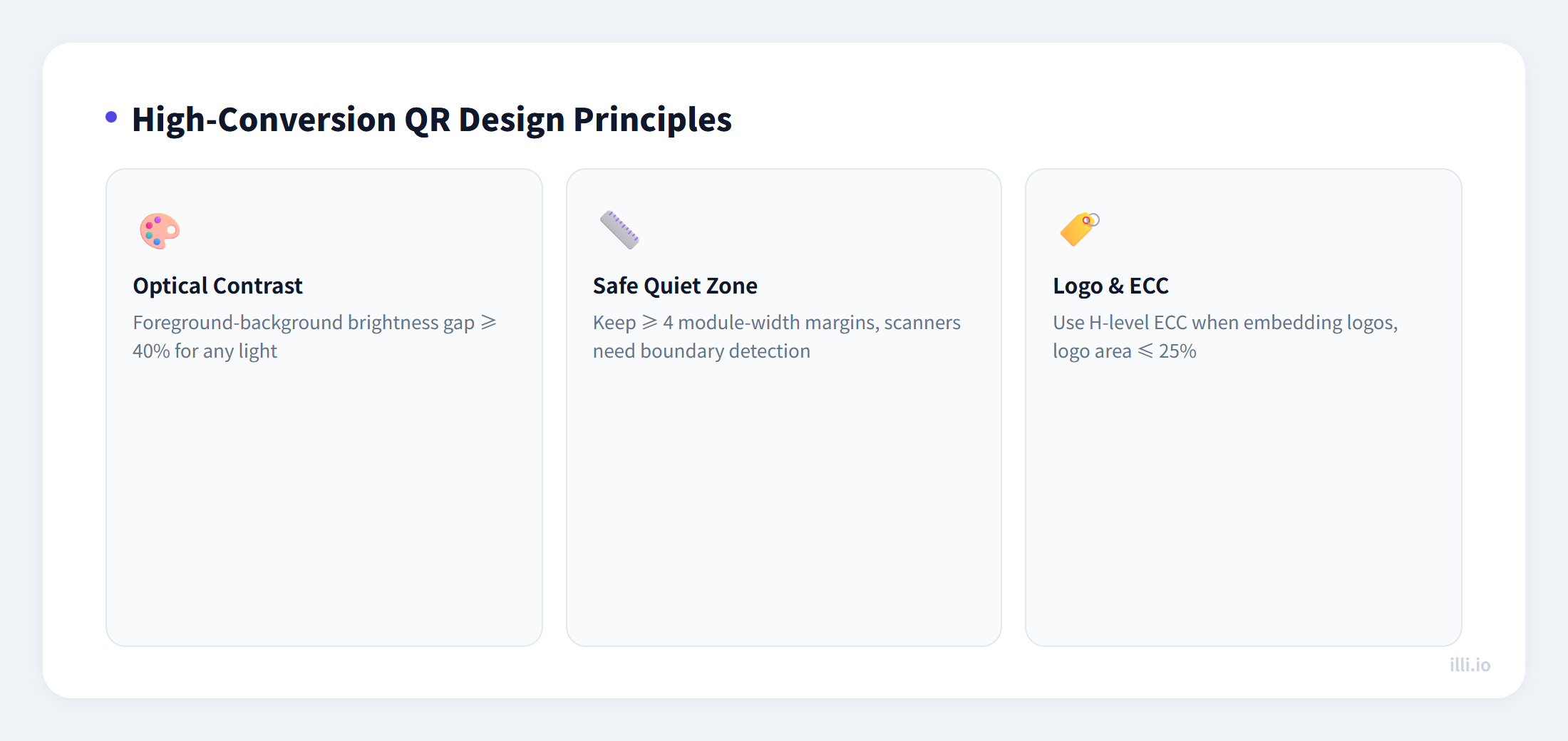
A beautifully customized QR code that cannot be scanned is worthless from a marketing perspective. Scan success rate fundamentally depends on the optical contrast between "data modules" (the dark squares) and the "background area" (the light space). Smartphone cameras and image processing algorithms need to clearly distinguish between these two zones to decode accurately.
The Golden Rule: There must be at least a 40% brightness difference between data modules (typically dark) and the background (typically light). Common mistakes include:
- Inverted designs (light data on dark background): While premium scanners can handle inverted QR codes, the camera apps on many mid-range and budget smartphones see their success rate plummet by over 50%. Unless your entire audience uses the latest flagship devices, this is a gamble.
- Similar color pairings: Dark blue on black, dark green on dark gray — combinations that are barely distinguishable to the human eye often get merged into a single color zone by phone cameras' ISO sensitivity and auto white-balance algorithms, causing decode failures.
- Gradient backgrounds: A white-to-light-gray gradient looks elegant but creates uneven brightness distribution in the Quiet Zone area, potentially interfering with finder pattern recognition.
If you must use brand colors, the safest approach is: apply brand colors to the data modules (foreground), while always keeping the background pure white or very light off-white.
The Sacred Border: Quiet Zone
The Quiet Zone is the blank border surrounding all four sides of a QR code, explicitly defined in the QR code specification (ISO/IEC 18004): it must be at least four data modules wide. This seemingly "wasted" whitespace is the critical signal that scanners use to identify the QR code's boundaries.
Common fatal design errors include:
- Placing the QR code flush against other graphic elements (table borders, decorative patterns, frames)
- Adding dense text descriptions too close to the QR code's edges
- Printing the QR code on complex textured materials (wood-grain paper, irregular kraft paper fibers)
The solution is simple: ensure the exported QR code image itself includes sufficient white margin. Don't rely on layout software to add spacing later — printing alignment drift may consume those carefully reserved millimeters.
Logo Integration and the Error Correction Equation
Embedding a brand logo in the center of a QR code is a powerful way to boost brand recognition and user trust. But technically, you are physically destroying data-bearing modules — the modules covered by the logo are permanently lost.
This is where Reed-Solomon error correction becomes essential. The QR specification defines four correction levels:
| Level | Name | Recoverable Damage | Best For |
|---|
| L | Low | ~7% | Maximum data capacity, clean environments |
| M | Medium | ~15% | Default recommendation, balanced choice |
| Q | Quartile | ~25% | Outdoor/logistics, harsher environments |
| H | High | ~30% | Marketing designs requiring logo integration |
If you plan to place a logo in the center, you must use Level H error correction. This means even if the logo obscures roughly 25% of the central area, the remaining redundant data is sufficient for the algorithm to fully reconstruct the original information.
Logo placement best practices:
- Logo area should not exceed 20% of total QR code area (leave a safety margin)
- Center the logo (the center region has the lowest data density, minimizing disruption)
- Add a clear white padding behind the logo to create a sharp boundary with surrounding modules
- Avoid semi-transparent or gradient logos — they blur the boundaries of data modules
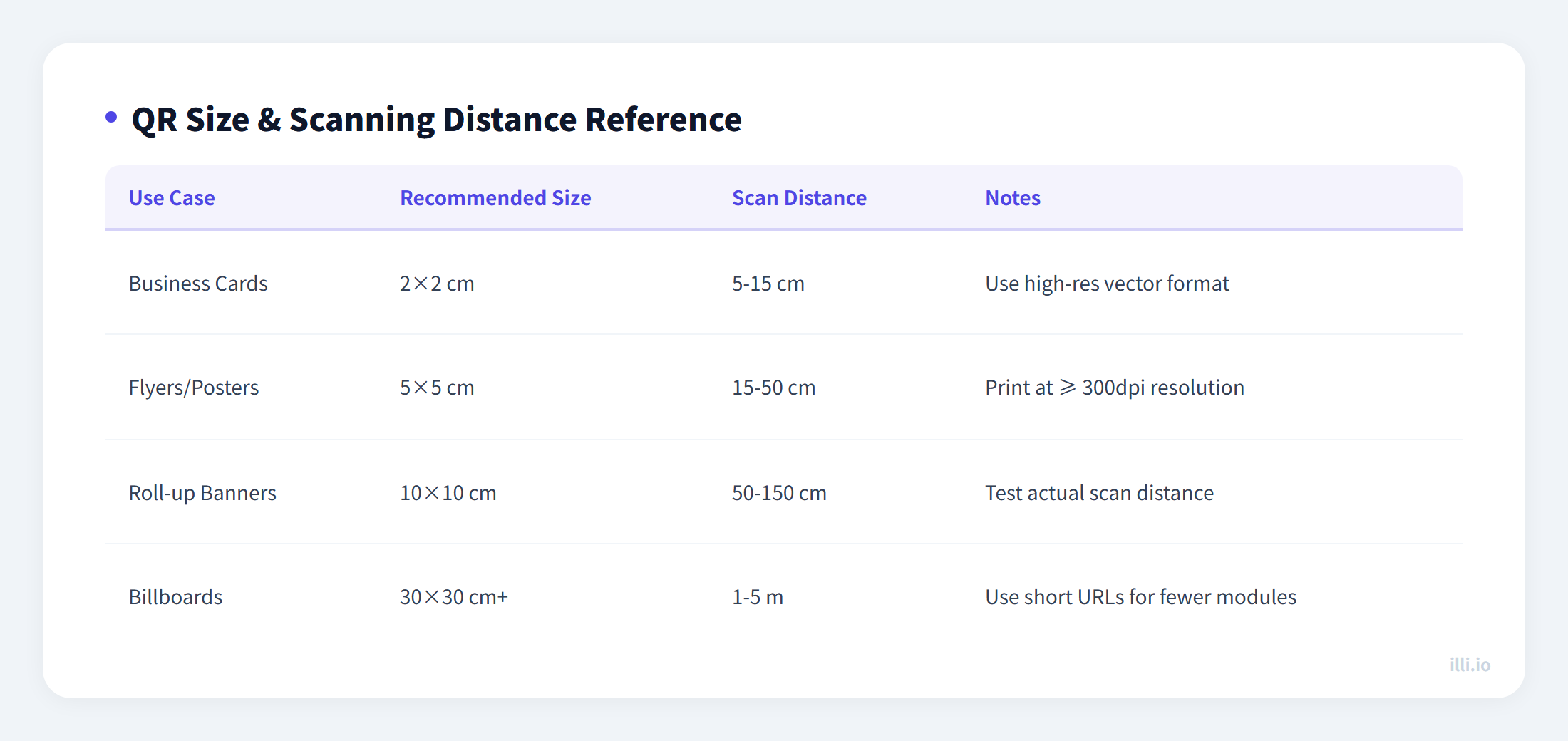
The minimum scannable QR code size depends on two factors: the physical size of each data module and the intended scanning distance. The universal rule of thumb:
- Scanning distance (cm) / 10 = Minimum QR code side length (cm)
- Example: Handheld phone scan at 30 cm → QR code must be at least 3cm x 3cm
- Outdoor billboard scan at 3 meters → QR code must be at least 30cm x 30cm
For resolution, the recommended minimum is 300 DPI for printed materials and 72 DPI for screen display. Exporting in vector format (SVG, PDF) is the best choice, as vector graphics remain crisp at any scale without blurring or pixelation.
Dynamic Routing: One QR Code, Multiple Campaigns
For QR codes printed on physical media (flyers, posters, product packaging), the encoded content cannot be changed once printed. This is where dynamic QR codes shine: the QR code contains a short redirect URL, and the backend can change the destination at any time.
This means the same printed QR code can:
- Point to a limited-time offer page during a promotion
- Switch to a regular product page after the promotion ends
- Automatically route to different language/region landing pages based on the scanner's geolocation
- Track scan volume, scan times, device types, and geographic distribution in real-time
For small and medium businesses with limited budgets but frequent content changes, dynamic QR codes offer the highest ROI print-to-digital bridge solution available.